
Skip to content

Excel Functions

Excel f(x)s = Excel Functions

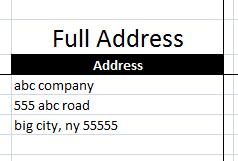
  • Extract Address into table Formulas - combined functions
  • FORMULATEXT to show formulas FORMULATEXT
  • Looplist – Repeating months using formulas Basic Math
  • Stale values (Scratched functions) Excel User tips
  • Standard math to calculate Aspect Ratio Basic Math
  • Tally chart in functions Formulas - combined functions
  • Sum of divide – Array formula Array formula
  • IFS (and IFNA) to avoid nested IFs Formulas - combined functions

Tag: compare

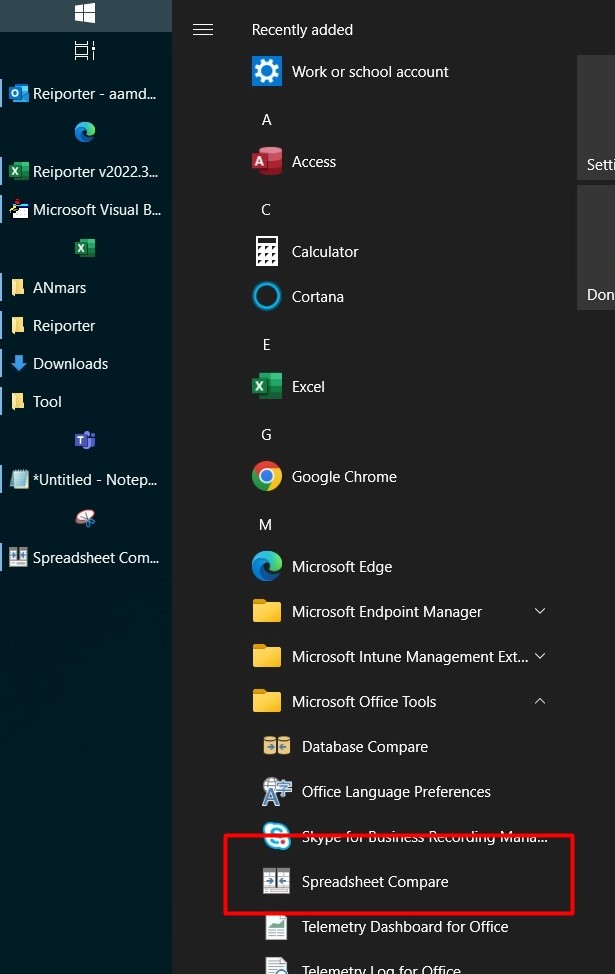
Spreadsheet Compare application
Posted on October 25, 2022 By ANmar
Spreadsheet Compare application

This is only available in Microsoft 365 Enterprise version, an application that can compare two workbooks in all objects. This includes cells (values or formulas) in all sheets, VBA objects and macros. Bug: I noticed that even if VBE project in a workbook is protected, it will still open it and show you all macros,…

Read More “Spreadsheet Compare application” »

Excel User tips, Non-functions, Worksheet

Recent Posts

  • Stale values (Scratched functions)
  • Middle name + 1st name
  • LastSunday, LastSaturday
  • Paste Special Percentage
  • Jan8 date format

Archives

Categories

  • Array formula (1)
  • Formulas – combined functions (58)
  • Google Sheets (2)
  • Non-functions (36)
    • ActiveX controls (2)
    • Conditional Formatting (7)
    • Data Validation (7)
    • Excel User tips (19)
    • Format Cells (6)
    • Graphics (4)
    • Names (3)
  • Standard functions (82)
    • Basic Math (18)
    • Date and Time (16)
      • DATE (9)
      • Hour (1)
      • MONTH (7)
      • NETWORKDAYS (2)
      • TODAY (7)
      • WEEKDAY (8)
      • WEEKNUM (1)
      • YEAR (8)
    • Engineering (1)
      • CONVERT (1)
    • Information (6)
      • CELL (4)
      • ISERROR (1)
      • N (1)
    • Logical (30)
      • AND (5)
      • IF (24)
      • IFERROR (6)
      • IFNA (1)
      • IFS (1)
      • ISERROR (1)
      • OR (2)
    • Lookup and References (36)
      • ADDRESS (4)
      • CHOOSE (3)
      • COLUMN (7)
      • FORMULATEXT (1)
      • HLOOKUP (1)
      • HYPERLINK (2)
      • INDEX (5)
      • INDIRECT (6)
      • MATCH (12)
      • OFFSET (15)
      • ROW (11)
      • VLOOKUP (5)
    • Math and Trig (24)
      • ABS (1)
      • CEILING (1)
      • COUNT (1)
      • COUNTA (4)
      • INT (9)
      • LARGE (2)
      • MAX (1)
      • Min (2)
      • SMALL (3)
      • SUM (3)
      • SUMIF (1)
      • SUMIFS (2)
      • SUMPRODUCT (1)
    • Statistical (5)
      • COUNTIF (4)
      • COUNTIFS (1)
    • Texts and Strings (24)
      • CHAR (5)
      • CONCATINATE (1)
      • FIND (1)
      • LEFT (8)
      • Len (4)
      • MID (9)
      • REPT (3)
      • RIGHT (2)
      • SEARCH (9)
      • STRING (1)
      • SUBSTITUTE (2)
      • TEXT (4)
      • TRIM (2)
      • VALUE (2)
  • Uncategorized (2)
  • User-Defined f(x)s = UDF (3)
    • HyperlinkOf (1)
  • Worksheet (16)
  • XLfxs (2)

Meta

  • Log in
  • Entries feed
  • Comments feed
  • WordPress.org
  • FORMULATEXT to show formulas FORMULATEXT
  • WorksheetName and WorksheetsNo UDFs Lookup and References
  • Change Calculator – calculate change in multiple bills/coins Formulas - combined functions
  • Excel Dynamic Drop-Downs that grow with you COUNTA
  • Comments versus Notes Excel User tips
  • Hello world! Uncategorized
  • The Excel “&” bug Excel User tips
  • Stale values (Scratched functions) Excel User tips

Copyright © 2026 Excel Functions.

Powered by PressBook News Dark theme