Skip to content

Excel Functions

Excel f(x)s = Excel Functions

  • CountIf limitation COUNTIF
  • Validation based on another Validation COUNTA
  • Insert Blank rows into table using functions CHAR
  • Compare2, a tool to compare two sheets using formulas Conditional Formatting
  • SimpleANBox Basic Math
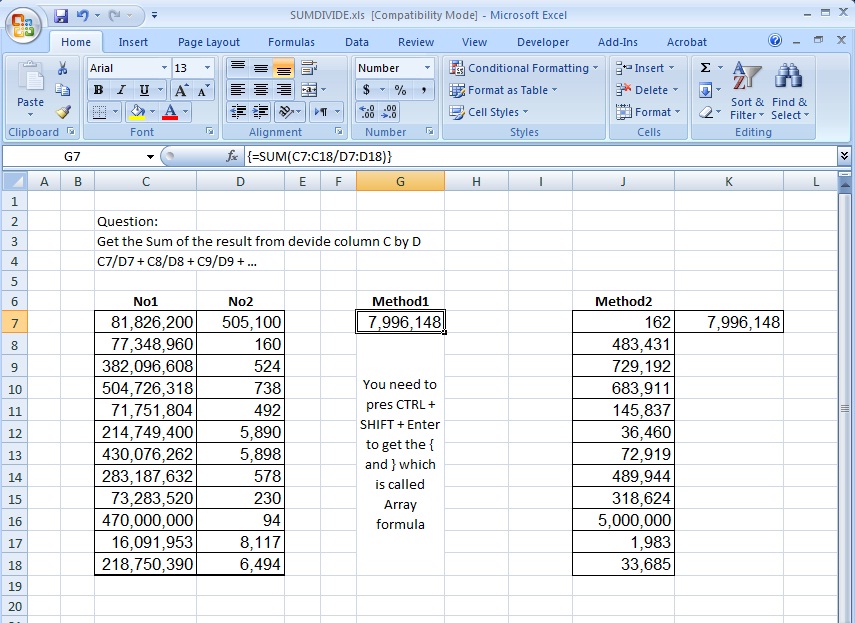
  • Sum of divide – Array formula Array formula
  • BMI Calculator Basic Math
  • Min Max vehicle Formulas - combined functions

Category: SUBSTITUTE

Count how many times letter found

Posted on March 3, 2017 By ANmar
Count how many times letter found

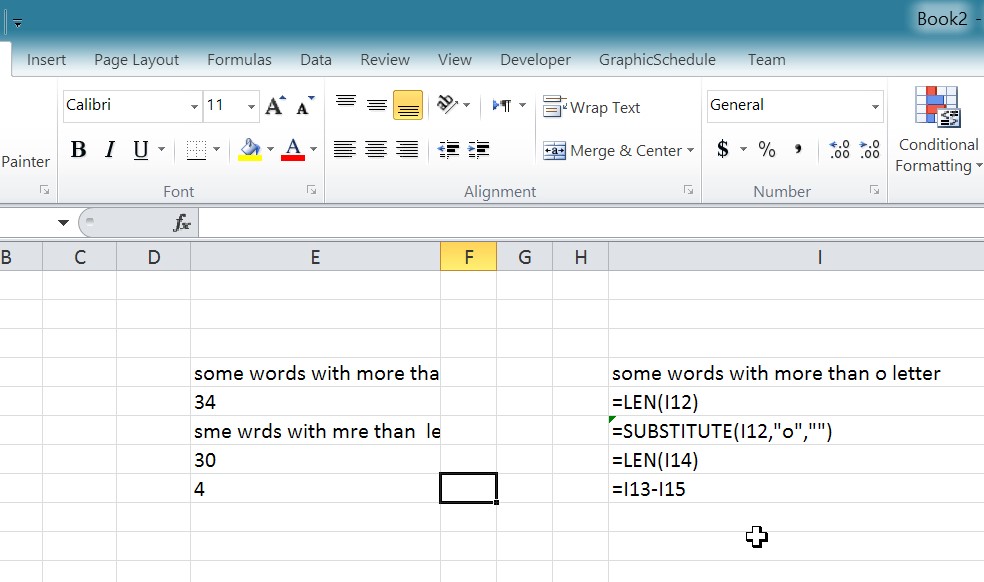
Found this in an old file while doing some digital cleaning This will show you how you can easily count how many times a letter (or any string) into a cell. So the main formula doing that is … =LEN(I12)-LEN(SUBSTITUTE(I12,”o”,””)) Of course, this assumes you are looking to find how many the letter “O” is…

Read More “Count how many times letter found” »

Formulas - combined functions, Len, Standard functions, SUBSTITUTE, Texts and Strings

Multiple lines in cell using functions

Posted on December 2, 2016 By ANmar
Multiple lines in cell using functions

You must already know that when you press Enter after you modify a cell, the cell content will be saved and you jump down to cell below (we can change that behavior by the way, but that is another post).

And you could have already know that if you want to have multiple lines inside a cell, you need to press ALT+ENTER to do that.

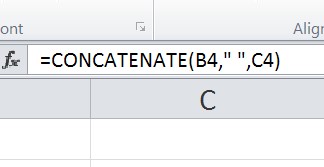
But, how can we do that in formula ??


I got a request on how to do that in a spreadsheet, so, the client wanted to convert two columns having two parts of address, Column C has Street address and street name, and column D has city, state and Zip code.
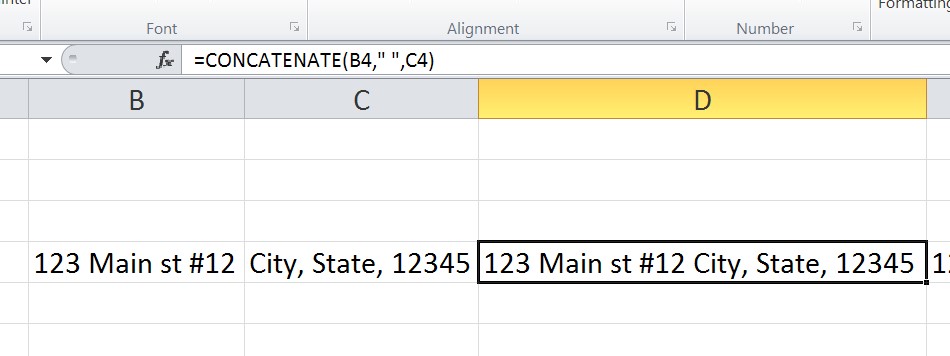
post1502-1

Read More “Multiple lines in cell using functions” »

CHAR, CONCATINATE, Formulas - combined functions, Standard functions, SUBSTITUTE, Texts and Strings

Recent Posts

  • Stale values (Scratched functions)
  • Middle name + 1st name
  • LastSunday, LastSaturday
  • Paste Special Percentage
  • Jan8 date format

Archives

Categories

  • Array formula (1)
  • Formulas – combined functions (58)
  • Google Sheets (2)
  • Non-functions (36)
    • ActiveX controls (2)
    • Conditional Formatting (7)
    • Data Validation (7)
    • Excel User tips (19)
    • Format Cells (6)
    • Graphics (4)
    • Names (3)
  • Standard functions (82)
    • Basic Math (18)
    • Date and Time (16)
      • DATE (9)
      • Hour (1)
      • MONTH (7)
      • NETWORKDAYS (2)
      • TODAY (7)
      • WEEKDAY (8)
      • WEEKNUM (1)
      • YEAR (8)
    • Engineering (1)
      • CONVERT (1)
    • Information (6)
      • CELL (4)
      • ISERROR (1)
      • N (1)
    • Logical (30)
      • AND (5)
      • IF (24)
      • IFERROR (6)
      • IFNA (1)
      • IFS (1)
      • ISERROR (1)
      • OR (2)
    • Lookup and References (36)
      • ADDRESS (4)
      • CHOOSE (3)
      • COLUMN (7)
      • FORMULATEXT (1)
      • HLOOKUP (1)
      • HYPERLINK (2)
      • INDEX (5)
      • INDIRECT (6)
      • MATCH (12)
      • OFFSET (15)
      • ROW (11)
      • VLOOKUP (5)
    • Math and Trig (24)
      • ABS (1)
      • CEILING (1)
      • COUNT (1)
      • COUNTA (4)
      • INT (9)
      • LARGE (2)
      • MAX (1)
      • Min (2)
      • SMALL (3)
      • SUM (3)
      • SUMIF (1)
      • SUMIFS (2)
      • SUMPRODUCT (1)
    • Statistical (5)
      • COUNTIF (4)
      • COUNTIFS (1)
    • Texts and Strings (24)
      • CHAR (5)
      • CONCATINATE (1)
      • FIND (1)
      • LEFT (8)
      • Len (4)
      • MID (9)
      • REPT (3)
      • RIGHT (2)
      • SEARCH (9)
      • STRING (1)
      • SUBSTITUTE (2)
      • TEXT (4)
      • TRIM (2)
      • VALUE (2)
  • Uncategorized (2)
  • User-Defined f(x)s = UDF (3)
    • HyperlinkOf (1)
  • Worksheet (16)
  • XLfxs (2)

Meta

  • Log in
  • Entries feed
  • Comments feed
  • WordPress.org
  • Repeated Offset Basic Math
  • Zipcode-State search Formulas - combined functions
  • Cell formats 0.0\% and 0.0%;(0.0%) Format Cells
  • CHOOSE – tree of decisions CHOOSE
  • MATCH fumction, just a simple search Lookup and References
  • New function IFERROR, finally IFERROR
  • SimpleANBox Basic Math
  • Get 3rd Wednesday of month Basic Math

Copyright © 2026 Excel Functions.

Powered by PressBook News Dark theme