Skip to content

Excel Functions

Excel f(x)s = Excel Functions

  • Cell formats 0.0\% and 0.0%;(0.0%) Format Cells
  • Count cells with condition – multiple conditions COUNTIFS
  • The Excel “&” bug Excel User tips
  • 6174 Kaprekar’s constant Basic Math
  • Return 12 values in one number AND
  • UDF – Convert Number into text (English and Arabic) User-Defined f(x)s = UDF
  • Jan8 date format AND
  • When Excel tells you to go get some life Excel User tips

FORMULATEXT to show formulas

Posted on March 27, 2018 By ANmar

Back in the day, we used to need to write a full macro (also called User-Defined-Function) to allow users to show the formula from a certain cell
Not any more

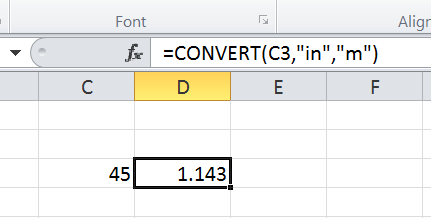
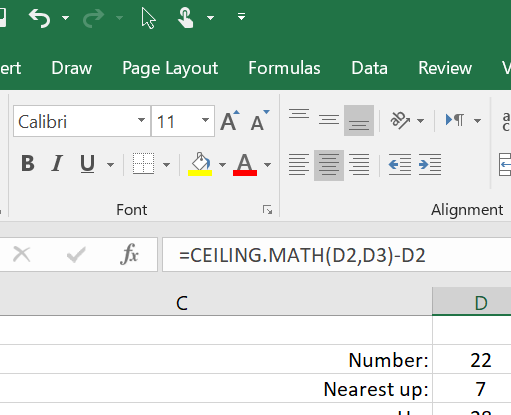
Excel 2013 (Excel 365 or Excel 2016) comes with the new formula FORMULATEXT()

This beautiful one, just shows the formula from a cell.
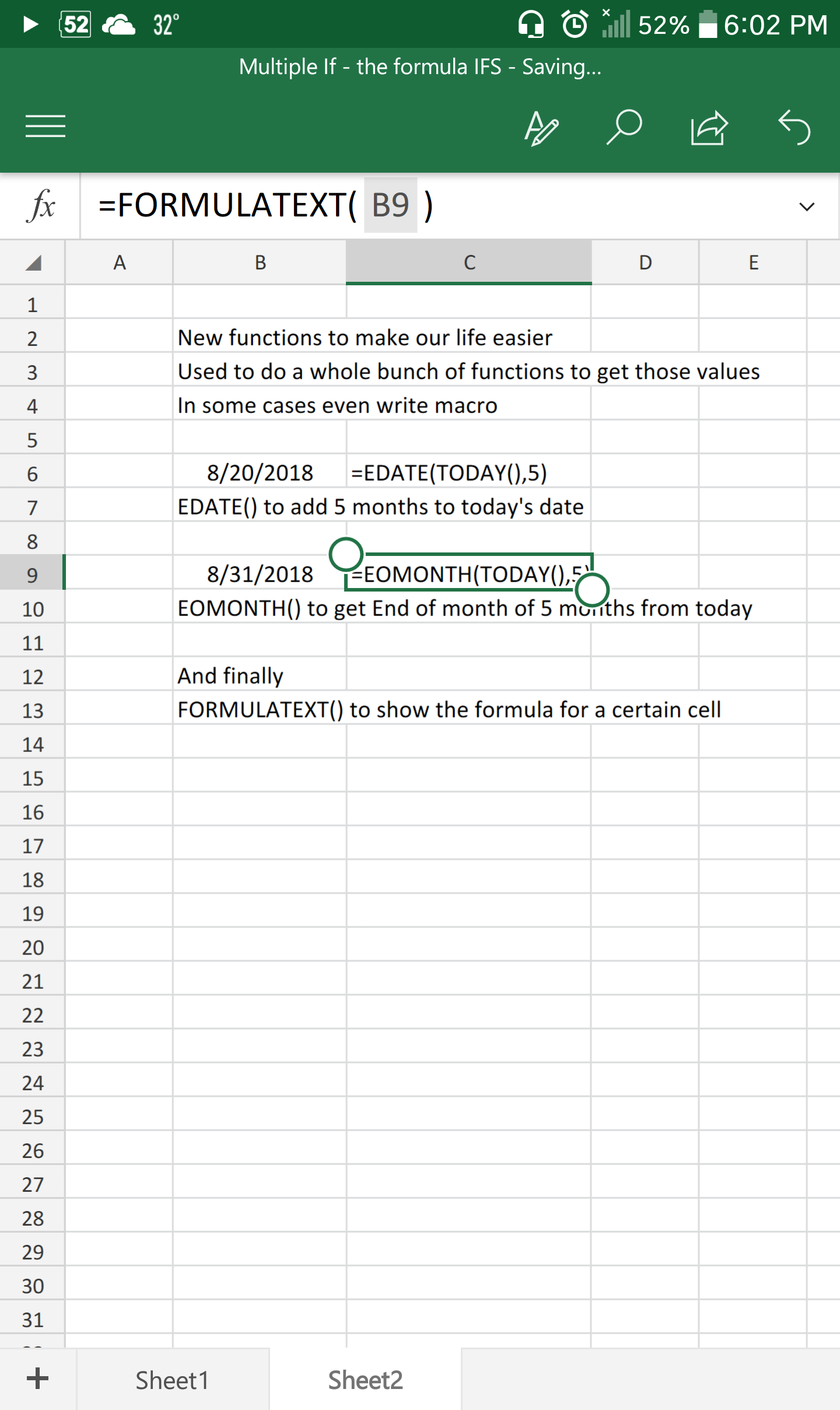
Get it from Sheet2 in attached spreadsheet
Download spreadsheet
Excel Online version
FORMULATEXT, Lookup and References, Standard functions

Post navigation

Previous Post: IFS (and IFNA) to avoid nested IFs
Next Post: Convert cell into textbox

Related Posts

  • Count Unique COUNTIF
  • Sheet() and Sheets() Lookup and References
  • Limited Ceiling Basic Math
  • LastSunday, LastSaturday Date and Time
  • Return 12 values in one number AND
  • GoLast to jump to last cell in a column CELL

Recent Posts

  • Calculate above and below me
  • Stale values (Scratched functions)
  • Middle name + 1st name
  • LastSunday, LastSaturday
  • Paste Special Percentage

Archives

Categories

  • Array formula (1)
  • Formulas – combined functions (58)
  • Google Sheets (2)
  • Non-functions (36)
    • ActiveX controls (2)
    • Conditional Formatting (7)
    • Data Validation (7)
    • Excel User tips (19)
    • Format Cells (6)
    • Graphics (4)
    • Names (3)
  • Standard functions (83)
    • Basic Math (18)
    • Date and Time (16)
      • DATE (9)
      • Hour (1)
      • MONTH (7)
      • NETWORKDAYS (2)
      • TODAY (7)
      • WEEKDAY (8)
      • WEEKNUM (1)
      • YEAR (8)
    • Engineering (1)
      • CONVERT (1)
    • Information (6)
      • CELL (4)
      • ISERROR (1)
      • N (1)
    • Logical (31)
      • AND (5)
      • IF (25)
      • IFERROR (7)
      • IFNA (1)
      • IFS (1)
      • ISERROR (1)
      • OR (2)
    • Lookup and References (36)
      • ADDRESS (4)
      • CHOOSE (3)
      • COLUMN (7)
      • FORMULATEXT (1)
      • HLOOKUP (1)
      • HYPERLINK (2)
      • INDEX (5)
      • INDIRECT (6)
      • MATCH (12)
      • OFFSET (15)
      • ROW (11)
      • VLOOKUP (5)
    • Math and Trig (24)
      • ABS (1)
      • CEILING (1)
      • COUNT (1)
      • COUNTA (4)
      • INT (9)
      • LARGE (2)
      • MAX (1)
      • Min (2)
      • SMALL (3)
      • SUM (3)
      • SUMIF (1)
      • SUMIFS (2)
      • SUMPRODUCT (1)
    • Statistical (6)
      • Average (1)
      • COUNTIF (4)
      • COUNTIFS (1)
    • Texts and Strings (24)
      • CHAR (5)
      • CONCATINATE (1)
      • FIND (1)
      • LEFT (8)
      • Len (4)
      • MID (9)
      • REPT (3)
      • RIGHT (2)
      • SEARCH (9)
      • STRING (1)
      • SUBSTITUTE (2)
      • TEXT (4)
      • TRIM (2)
      • VALUE (2)
  • Uncategorized (2)
  • User-Defined f(x)s = UDF (3)
    • HyperlinkOf (1)
  • Worksheet (16)
  • XLfxs (2)

Meta

  • Log in
  • Entries feed
  • Comments feed
  • WordPress.org
  • VLookup Lookup and References
  • Sorting with functions only CHOOSE
  • Limited Ceiling Basic Math
  • SimpleANBox Basic Math
  • Return 12 values in one number AND
  • Blank (isempty) VS “” (null string) Excel User tips
  • Convert cell into textbox Excel User tips
  • Why I ran from =INDIRECT() function Formulas - combined functions

Copyright © 2026 Excel Functions.

Powered by PressBook News Dark theme