
Skip to content

Excel Functions

Excel f(x)s = Excel Functions

  • Workdays – Across months DATE
  • Change Calculator – calculate change in multiple bills/coins Formulas - combined functions
  • Calculate hours between two cells ABS
  • Get column name (columnname as A,B,C, etc) as input inside cell ADDRESS
  • VLookup Lookup and References
  • Rotate table using 1 formula ADDRESS
  • Convert 2-column into wide (column-row) table Formulas - combined functions
  • State Abbr with Index+Match+Validation Data Validation

Category: Google Sheets

Filter. Google Sheets function

Posted on April 22, 2023 By ANmar
Filter. Google Sheets function

Interesting seeing Google Sheets doing things differently than Excel. This function will fill in cells as values once the user presses Enter. Technically a feature rather than a function.

Once you do first cell, google sheets will fill the rest down with values, not formulas.
Read More “Filter. Google Sheets function” »

Google Sheets

Lesson learned: Do not trust Google Sheets function

Posted on October 11, 2020 By ANmar
Lesson learned: Do not trust Google Sheets function

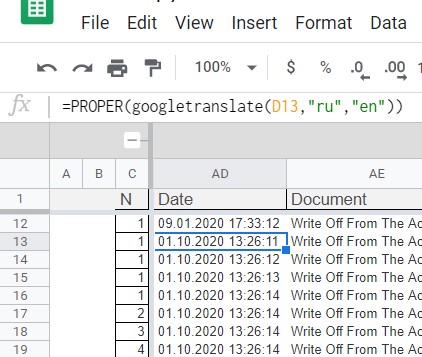
It wasted few days, hitting my head at the wall.My mistake …. I trusted that Google Sheets function called GoogleTranslate is working as it is expected. Which is not You just hate when that happens.We all know that Google is still a child in worksheet world, comparing to Microsoft, they are kids, but I wouldn’t…

Read More “Lesson learned: Do not trust Google Sheets function” »

Google Sheets, Worksheet

Recent Posts

  • Calculate above and below me
  • Stale values (Scratched functions)
  • Middle name + 1st name
  • LastSunday, LastSaturday
  • Paste Special Percentage

Archives

Categories

  • Array formula (1)
  • Formulas – combined functions (58)
  • Google Sheets (2)
  • Non-functions (36)
    • ActiveX controls (2)
    • Conditional Formatting (7)
    • Data Validation (7)
    • Excel User tips (19)
    • Format Cells (6)
    • Graphics (4)
    • Names (3)
  • Standard functions (83)
    • Basic Math (18)
    • Date and Time (16)
      • DATE (9)
      • Hour (1)
      • MONTH (7)
      • NETWORKDAYS (2)
      • TODAY (7)
      • WEEKDAY (8)
      • WEEKNUM (1)
      • YEAR (8)
    • Engineering (1)
      • CONVERT (1)
    • Information (6)
      • CELL (4)
      • ISERROR (1)
      • N (1)
    • Logical (31)
      • AND (5)
      • IF (25)
      • IFERROR (7)
      • IFNA (1)
      • IFS (1)
      • ISERROR (1)
      • OR (2)
    • Lookup and References (36)
      • ADDRESS (4)
      • CHOOSE (3)
      • COLUMN (7)
      • FORMULATEXT (1)
      • HLOOKUP (1)
      • HYPERLINK (2)
      • INDEX (5)
      • INDIRECT (6)
      • MATCH (12)
      • OFFSET (15)
      • ROW (11)
      • VLOOKUP (5)
    • Math and Trig (24)
      • ABS (1)
      • CEILING (1)
      • COUNT (1)
      • COUNTA (4)
      • INT (9)
      • LARGE (2)
      • MAX (1)
      • Min (2)
      • SMALL (3)
      • SUM (3)
      • SUMIF (1)
      • SUMIFS (2)
      • SUMPRODUCT (1)
    • Statistical (6)
      • Average (1)
      • COUNTIF (4)
      • COUNTIFS (1)
    • Texts and Strings (24)
      • CHAR (5)
      • CONCATINATE (1)
      • FIND (1)
      • LEFT (8)
      • Len (4)
      • MID (9)
      • REPT (3)
      • RIGHT (2)
      • SEARCH (9)
      • STRING (1)
      • SUBSTITUTE (2)
      • TEXT (4)
      • TRIM (2)
      • VALUE (2)
  • Uncategorized (2)
  • User-Defined f(x)s = UDF (3)
    • HyperlinkOf (1)
  • Worksheet (16)
  • XLfxs (2)

Meta

  • Log in
  • Entries feed
  • Comments feed
  • WordPress.org
  • Progress bar in pure functions CHAR
  • Show developer tab Excel User tips
  • When Excel functions are not enough Excel User tips
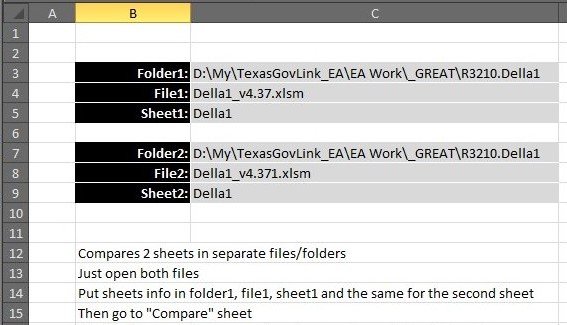
  • Compare2, a tool to compare two sheets using formulas Conditional Formatting
  • Comments versus Notes Excel User tips
  • Excel sessions – 2013 VS 2010 Excel User tips
  • Jan8 date format AND
  • CountIf limitation COUNTIF

Copyright © 2026 Excel Functions.

Powered by PressBook News Dark theme