Skip to content

Excel Functions

Excel f(x)s = Excel Functions

  • Sorting with functions only CHOOSE
  • Change Calculator – calculate change in multiple bills/coins Formulas - combined functions
  • Standard math to calculate Aspect Ratio Basic Math
  • Cells with additional spaces AND
  • Spreadsheet Compare application Excel User tips
  • Lesson learned: Do not trust Google Sheets function Google Sheets
  • Limited Ceiling Basic Math
  • Validation based on another Validation COUNTA

Tag: CountIF

Search across sheets in function

Posted on July 22, 2022 By ANmar
Search across sheets in function

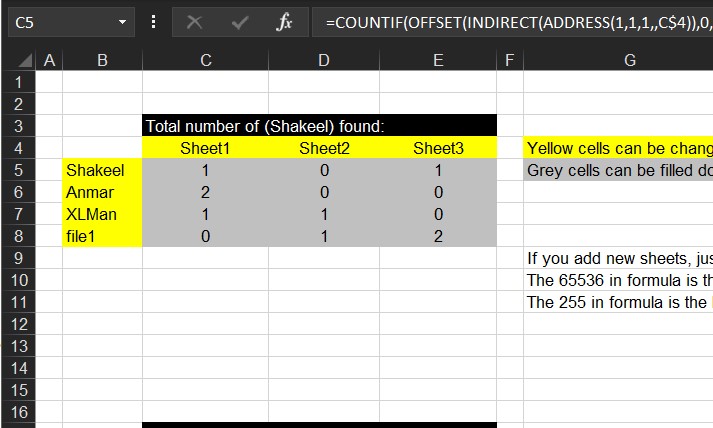
Just when you need to search for a thing across sheets in a workbook.

I am bored, so I am adding articles from my old archive.

Read More “Search across sheets in function” »

ADDRESS, COUNTIF, Formulas - combined functions, INDIRECT, Lookup and References, OFFSET, Standard functions, Statistical

Schedule column

Posted on July 6, 2022 By ANmar
Schedule column

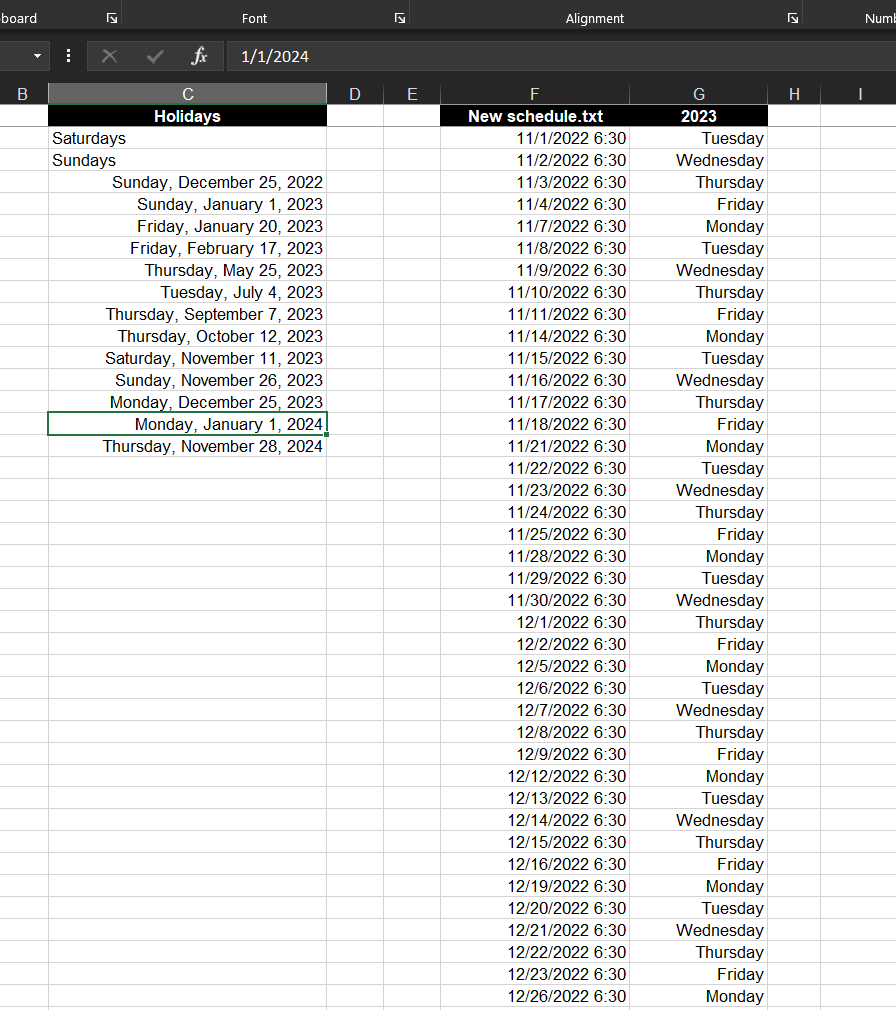
Create list of dates excluding weekends and holidays.
Basically create list of workdays in a certain year, you may fill in to get more.

List of holidays is defined in another column, formula already excludes Saturdays and Sundays.

Read More “Schedule column” »

Basic Math, COUNTIF, Date and Time, Formulas - combined functions, IF, Logical, Standard functions, Statistical, WEEKDAY

Count Unique

Posted on August 9, 2019 By ANmar
Count Unique

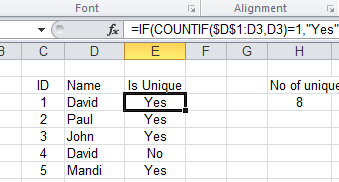
A question by a colleague on how to count number of unique items in a column made me realize, I don’t have that here.

So here it is …
COUNTIF, Formulas - combined functions, IF, Standard functions, Statistical, Uncategorized

Recent Posts

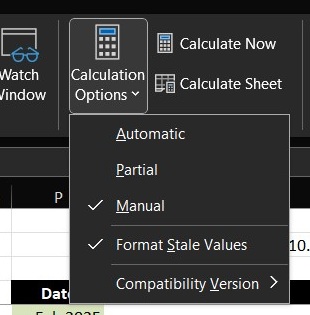
  • Stale values (Scratched functions)
  • Middle name + 1st name
  • LastSunday, LastSaturday
  • Paste Special Percentage
  • Jan8 date format

Archives

Categories

  • Array formula (1)
  • Formulas – combined functions (58)
  • Google Sheets (2)
  • Non-functions (36)
    • ActiveX controls (2)
    • Conditional Formatting (7)
    • Data Validation (7)
    • Excel User tips (19)
    • Format Cells (6)
    • Graphics (4)
    • Names (3)
  • Standard functions (82)
    • Basic Math (18)
    • Date and Time (16)
      • DATE (9)
      • Hour (1)
      • MONTH (7)
      • NETWORKDAYS (2)
      • TODAY (7)
      • WEEKDAY (8)
      • WEEKNUM (1)
      • YEAR (8)
    • Engineering (1)
      • CONVERT (1)
    • Information (6)
      • CELL (4)
      • ISERROR (1)
      • N (1)
    • Logical (30)
      • AND (5)
      • IF (24)
      • IFERROR (6)
      • IFNA (1)
      • IFS (1)
      • ISERROR (1)
      • OR (2)
    • Lookup and References (36)
      • ADDRESS (4)
      • CHOOSE (3)
      • COLUMN (7)
      • FORMULATEXT (1)
      • HLOOKUP (1)
      • HYPERLINK (2)
      • INDEX (5)
      • INDIRECT (6)
      • MATCH (12)
      • OFFSET (15)
      • ROW (11)
      • VLOOKUP (5)
    • Math and Trig (24)
      • ABS (1)
      • CEILING (1)
      • COUNT (1)
      • COUNTA (4)
      • INT (9)
      • LARGE (2)
      • MAX (1)
      • Min (2)
      • SMALL (3)
      • SUM (3)
      • SUMIF (1)
      • SUMIFS (2)
      • SUMPRODUCT (1)
    • Statistical (5)
      • COUNTIF (4)
      • COUNTIFS (1)
    • Texts and Strings (24)
      • CHAR (5)
      • CONCATINATE (1)
      • FIND (1)
      • LEFT (8)
      • Len (4)
      • MID (9)
      • REPT (3)
      • RIGHT (2)
      • SEARCH (9)
      • STRING (1)
      • SUBSTITUTE (2)
      • TEXT (4)
      • TRIM (2)
      • VALUE (2)
  • Uncategorized (2)
  • User-Defined f(x)s = UDF (3)
    • HyperlinkOf (1)
  • Worksheet (16)
  • XLfxs (2)

Meta

  • Log in
  • Entries feed
  • Comments feed
  • WordPress.org
  • Workdays – Across months DATE
  • Change Calculator – calculate change in multiple bills/coins Formulas - combined functions
  • Dynamic selection list ActiveX controls
  • Sort list dynamically (functions) COLUMN
  • State Abbr with Index+Match+Validation Data Validation
  • Formula Beautifier Excel User tips
  • Min Max vehicle Formulas - combined functions
  • OFFSET+MATCH Formulas - combined functions

Copyright © 2025 Excel Functions.

Powered by PressBook News Dark theme