

Skip to content

Excel Functions

Excel f(x)s = Excel Functions

  • Tally chart in functions Formulas - combined functions
  • The Excel “&” bug Excel User tips
  • Fx to cut long column into two columns Formulas - combined functions
  • CamelCase to Camel Case CHAR
  • Show developer tab Excel User tips
  • Get 3rd Wednesday of month Basic Math
  • Get monthly total from table with dates DATE
  • Compare2, a tool to compare two sheets using formulas Conditional Formatting

Repeated Offset

Posted on September 19, 2022 By ANmar

I needed to have an offset of columns to be repeated every 12 months.

This is part of a project, we needed to calculate the coefficient of sales prediction based on the month number, we do have coefficient saved in another table that repeated every year (12 months).

So we needed a formula to calculate the offset to multiply times coefficient to find the sales predictions.

I extracted a formula that allows me to reuse when I need a repeated offset to be calculated.

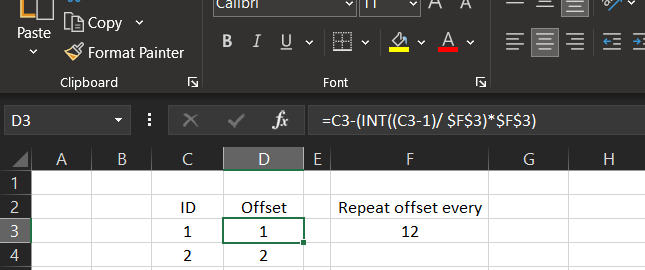
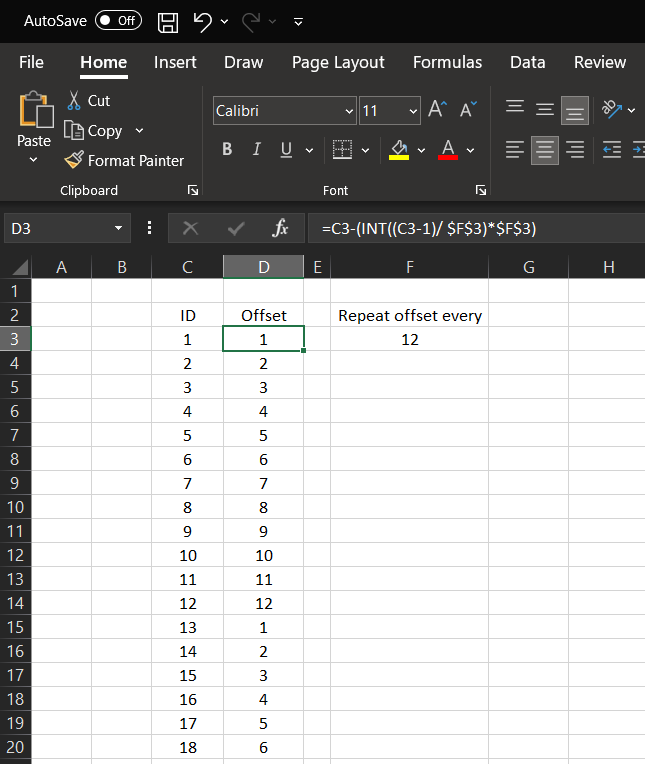
=C3-(INT((C3-1)/ $F$3)*$F$3)

The example here is for this pure offset repeater formula, once you change “Repeat offset every” in cell F3, you can see formulas in column D getting updated to reach that repeating pattern that we need.
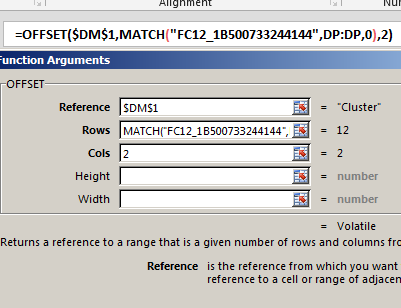
This is the big formula in case interested (in R1C1 syntax)

The coefficient area starts in Column BS (R1C70) in sheet called D, while sales is in RC24 or RC25, RC26 has month number 1 through 12, RC29 has the row number needed from D sheet.

=IfError(If( RC25=0, RC24, RC25 ) * Offset( 'D'!R1C70, RC29 - 1, RC26 + Column() - 30 -(INT((RC26 + Column() - 30 -1)/12)*12) ), 0)
Excel Online
Download Excel
Basic Math, COLUMN, Formulas - combined functions, IFERROR, INT, Logical, Lookup and References, Math and Trig, OFFSET, Standard functions Tags:Column, IF, INT, OFFSET

Post navigation

Previous Post: Sorting with functions only
Next Post: Spreadsheet Compare application

Related Posts

  • 0% interest promotion Basic Math
  • Get column name (columnname as A,B,C, etc) as input inside cell ADDRESS
  • Rotate table using 1 formula ADDRESS
  • Scorring, saving multiple outputs in 1 number Basic Math
  • IF with AND and IF with OR AND
  • MID + SEARCH to convert cell to rows MID

Recent Posts

  • Stale values (Scratched functions)
  • Middle name + 1st name
  • LastSunday, LastSaturday
  • Paste Special Percentage
  • Jan8 date format

Archives

Categories

  • Array formula (1)
  • Formulas – combined functions (58)
  • Google Sheets (2)
  • Non-functions (36)
    • ActiveX controls (2)
    • Conditional Formatting (7)
    • Data Validation (7)
    • Excel User tips (19)
    • Format Cells (6)
    • Graphics (4)
    • Names (3)
  • Standard functions (82)
    • Basic Math (18)
    • Date and Time (16)
      • DATE (9)
      • Hour (1)
      • MONTH (7)
      • NETWORKDAYS (2)
      • TODAY (7)
      • WEEKDAY (8)
      • WEEKNUM (1)
      • YEAR (8)
    • Engineering (1)
      • CONVERT (1)
    • Information (6)
      • CELL (4)
      • ISERROR (1)
      • N (1)
    • Logical (30)
      • AND (5)
      • IF (24)
      • IFERROR (6)
      • IFNA (1)
      • IFS (1)
      • ISERROR (1)
      • OR (2)
    • Lookup and References (36)
      • ADDRESS (4)
      • CHOOSE (3)
      • COLUMN (7)
      • FORMULATEXT (1)
      • HLOOKUP (1)
      • HYPERLINK (2)
      • INDEX (5)
      • INDIRECT (6)
      • MATCH (12)
      • OFFSET (15)
      • ROW (11)
      • VLOOKUP (5)
    • Math and Trig (24)
      • ABS (1)
      • CEILING (1)
      • COUNT (1)
      • COUNTA (4)
      • INT (9)
      • LARGE (2)
      • MAX (1)
      • Min (2)
      • SMALL (3)
      • SUM (3)
      • SUMIF (1)
      • SUMIFS (2)
      • SUMPRODUCT (1)
    • Statistical (5)
      • COUNTIF (4)
      • COUNTIFS (1)
    • Texts and Strings (24)
      • CHAR (5)
      • CONCATINATE (1)
      • FIND (1)
      • LEFT (8)
      • Len (4)
      • MID (9)
      • REPT (3)
      • RIGHT (2)
      • SEARCH (9)
      • STRING (1)
      • SUBSTITUTE (2)
      • TEXT (4)
      • TRIM (2)
      • VALUE (2)
  • Uncategorized (2)
  • User-Defined f(x)s = UDF (3)
    • HyperlinkOf (1)
  • Worksheet (16)
  • XLfxs (2)

Meta

  • Log in
  • Entries feed
  • Comments feed
  • WordPress.org
  • WorksheetName and WorksheetsNo UDFs Lookup and References
  • Schedule column Basic Math
  • GoLast to jump to last cell in a column CELL
  • Filter. Google Sheets function Google Sheets
  • Shapes with dynamic output Excel User tips
  • 0% interest promotion Basic Math
  • Rotate table using 1 formula ADDRESS
  • MID + SEARCH to convert cell to rows MID

Copyright © 2025 Excel Functions.

Powered by PressBook News Dark theme