


Skip to content

Excel Functions

Excel f(x)s = Excel Functions

  • State Abbr with Index+Match+Validation Data Validation
  • Workdays – Across months DATE
  • Compare2, a tool to compare two sheets using formulas Conditional Formatting
  • Edit directly in cell Excel User tips
  • New function IFERROR, finally IFERROR
  • BMI Calculator Basic Math
  • Cuts string of list of items Formulas - combined functions
  • Extract Address into table Formulas - combined functions

Tag: IFERROR

Calculate above and below me

Posted on April 9, 2026 By ANmar No Comments on Calculate above and below me
Calculate above and below me

Calculating average of the column in a cell inside that same column Getting average of what is above me and what is below me in my same column in one of the cells DS2 has 1 to use as Average, anything else to get regular number from some calculation … PH2 = IF($DS2=1, IFERROR(AVERAGE(PH$1:PH1,PH3:PH$110),”N/A”), “Other…

Read More “Calculate above and below me” »

Average, IF, IFERROR, Logical, Standard functions, Statistical

SimpleANBox

Posted on January 21, 2019 By ANmar
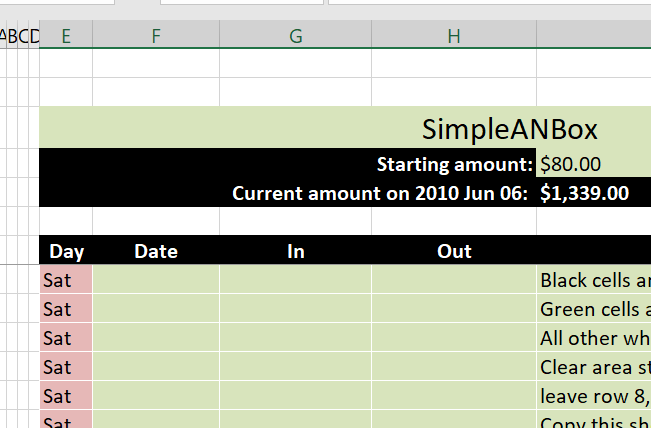
SimpleANBox

This is a financial box, a saving account, a credit, a loan, or any other financial amount that has input and output.

During my time with technology (since 1997) I found myself needing to open a lot of these boxes, to track accounts, or loans, or virtual business partnerships between multiple partnerrs. And this is the core to it.

Read More “SimpleANBox” »

Basic Math, DATE, Date and Time, Formulas - combined functions, IF, IFERROR, Logical, Math and Trig, SUM, TODAY, WEEKDAY, Worksheet

Recent Posts

  • Calculate above and below me
  • Stale values (Scratched functions)
  • Middle name + 1st name
  • LastSunday, LastSaturday
  • Paste Special Percentage

Archives

Categories

  • Array formula (1)
  • Formulas – combined functions (58)
  • Google Sheets (2)
  • Non-functions (36)
    • ActiveX controls (2)
    • Conditional Formatting (7)
    • Data Validation (7)
    • Excel User tips (19)
    • Format Cells (6)
    • Graphics (4)
    • Names (3)
  • Standard functions (83)
    • Basic Math (18)
    • Date and Time (16)
      • DATE (9)
      • Hour (1)
      • MONTH (7)
      • NETWORKDAYS (2)
      • TODAY (7)
      • WEEKDAY (8)
      • WEEKNUM (1)
      • YEAR (8)
    • Engineering (1)
      • CONVERT (1)
    • Information (6)
      • CELL (4)
      • ISERROR (1)
      • N (1)
    • Logical (31)
      • AND (5)
      • IF (25)
      • IFERROR (7)
      • IFNA (1)
      • IFS (1)
      • ISERROR (1)
      • OR (2)
    • Lookup and References (36)
      • ADDRESS (4)
      • CHOOSE (3)
      • COLUMN (7)
      • FORMULATEXT (1)
      • HLOOKUP (1)
      • HYPERLINK (2)
      • INDEX (5)
      • INDIRECT (6)
      • MATCH (12)
      • OFFSET (15)
      • ROW (11)
      • VLOOKUP (5)
    • Math and Trig (24)
      • ABS (1)
      • CEILING (1)
      • COUNT (1)
      • COUNTA (4)
      • INT (9)
      • LARGE (2)
      • MAX (1)
      • Min (2)
      • SMALL (3)
      • SUM (3)
      • SUMIF (1)
      • SUMIFS (2)
      • SUMPRODUCT (1)
    • Statistical (6)
      • Average (1)
      • COUNTIF (4)
      • COUNTIFS (1)
    • Texts and Strings (24)
      • CHAR (5)
      • CONCATINATE (1)
      • FIND (1)
      • LEFT (8)
      • Len (4)
      • MID (9)
      • REPT (3)
      • RIGHT (2)
      • SEARCH (9)
      • STRING (1)
      • SUBSTITUTE (2)
      • TEXT (4)
      • TRIM (2)
      • VALUE (2)
  • Uncategorized (2)
  • User-Defined f(x)s = UDF (3)
    • HyperlinkOf (1)
  • Worksheet (16)
  • XLfxs (2)

Meta

  • Log in
  • Entries feed
  • Comments feed
  • WordPress.org
  • Schedule column Basic Math
  • Shades of gray Graphics
  • Jan8 date format AND
  • Expenses calendar, FaCal Basic Math
  • Excel keeps converting all cells to “Date” (or Time) Excel User tips
  • SimpleANBox Basic Math
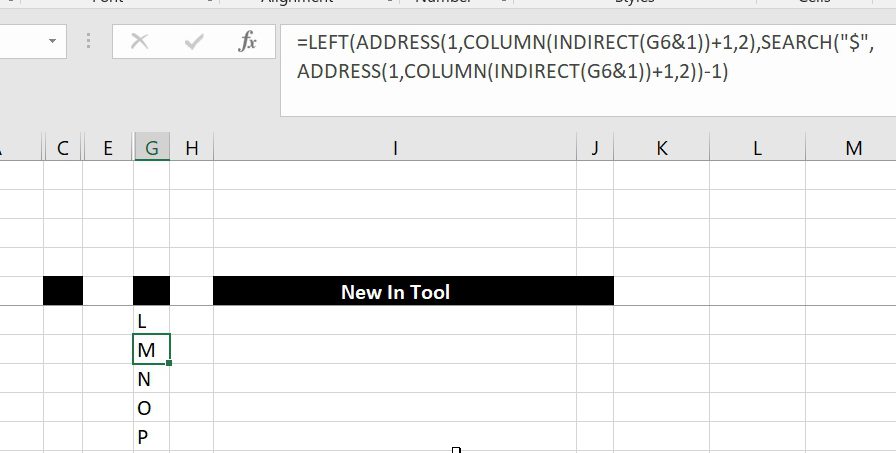
  • Get column name (columnname as A,B,C, etc) as input inside cell ADDRESS
  • Sum of divide – Array formula Array formula

Copyright © 2026 Excel Functions.

Powered by PressBook News Dark theme