

Skip to content

Excel Functions

Excel f(x)s = Excel Functions

  • Extract Address into table Formulas - combined functions
  • Excel sessions – 2013 VS 2010 Excel User tips
  • Change Calculator – calculate change in multiple bills/coins Formulas - combined functions
  • CONVERT function CONVERT
  • Blank (isempty) VS “” (null string) Excel User tips
  • Shades of gray Graphics
  • Excel Limits Excel User tips
  • When Excel functions are not enough Excel User tips

Tag: calendar

Custom fiscal year calendar (CFlex)

Posted on December 5, 2018 By ANmar

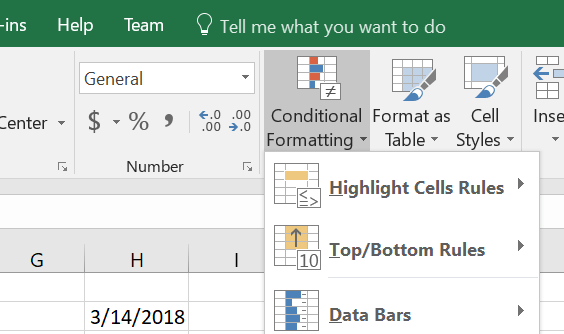
Fully customized Yearly Calendar to show certain dates with certain format using conditional formatting, like mark 8th business day each month with certain color, 1st workday after 15th of each month, etc.
See the sheet “Data” for details and table of specific dates and rules. Contact me for more detail

Read More “Custom fiscal year calendar (CFlex)” »

Basic Math, Conditional Formatting, Data Validation, DATE, Date and Time, MONTH, Non-functions, Standard functions, TODAY, WEEKDAY, YEAR

Recent Posts

  • Stale values (Scratched functions)
  • Middle name + 1st name
  • LastSunday, LastSaturday
  • Paste Special Percentage
  • Jan8 date format

Archives

Categories

  • Array formula (1)
  • Formulas – combined functions (58)
  • Google Sheets (2)
  • Non-functions (36)
    • ActiveX controls (2)
    • Conditional Formatting (7)
    • Data Validation (7)
    • Excel User tips (19)
    • Format Cells (6)
    • Graphics (4)
    • Names (3)
  • Standard functions (82)
    • Basic Math (18)
    • Date and Time (16)
      • DATE (9)
      • Hour (1)
      • MONTH (7)
      • NETWORKDAYS (2)
      • TODAY (7)
      • WEEKDAY (8)
      • WEEKNUM (1)
      • YEAR (8)
    • Engineering (1)
      • CONVERT (1)
    • Information (6)
      • CELL (4)
      • ISERROR (1)
      • N (1)
    • Logical (30)
      • AND (5)
      • IF (24)
      • IFERROR (6)
      • IFNA (1)
      • IFS (1)
      • ISERROR (1)
      • OR (2)
    • Lookup and References (36)
      • ADDRESS (4)
      • CHOOSE (3)
      • COLUMN (7)
      • FORMULATEXT (1)
      • HLOOKUP (1)
      • HYPERLINK (2)
      • INDEX (5)
      • INDIRECT (6)
      • MATCH (12)
      • OFFSET (15)
      • ROW (11)
      • VLOOKUP (5)
    • Math and Trig (24)
      • ABS (1)
      • CEILING (1)
      • COUNT (1)
      • COUNTA (4)
      • INT (9)
      • LARGE (2)
      • MAX (1)
      • Min (2)
      • SMALL (3)
      • SUM (3)
      • SUMIF (1)
      • SUMIFS (2)
      • SUMPRODUCT (1)
    • Statistical (5)
      • COUNTIF (4)
      • COUNTIFS (1)
    • Texts and Strings (24)
      • CHAR (5)
      • CONCATINATE (1)
      • FIND (1)
      • LEFT (8)
      • Len (4)
      • MID (9)
      • REPT (3)
      • RIGHT (2)
      • SEARCH (9)
      • STRING (1)
      • SUBSTITUTE (2)
      • TEXT (4)
      • TRIM (2)
      • VALUE (2)
  • Uncategorized (2)
  • User-Defined f(x)s = UDF (3)
    • HyperlinkOf (1)
  • Worksheet (16)
  • XLfxs (2)

Meta

  • Log in
  • Entries feed
  • Comments feed
  • WordPress.org
  • Excel sessions – 2013 VS 2010 Excel User tips
  • Schedule column Basic Math
  • Shades of gray Graphics
  • Week number to Sunday date – Weeknum reverse DATE
  • The Excel “&” bug Excel User tips
  • Change Calculator – calculate change in multiple bills/coins Formulas - combined functions
  • Middle name + 1st name Basic Math
  • VLookup Lookup and References

Copyright © 2026 Excel Functions.

Powered by PressBook News Dark theme