
Skip to content

Excel Functions

Excel f(x)s = Excel Functions

  • Worksheet name, dynamically using formula CELL
  • Cuts string of list of items Formulas - combined functions
  • CamelCase to Camel Case CHAR
  • 0% interest promotion Basic Math
  • Standard math to calculate Aspect Ratio Basic Math
  • Looplist – Repeating months using formulas Basic Math
  • Searching table in 2 dimensions. Formulas - combined functions
  • Insert Blank rows into table using functions CHAR

Tag: google

Filter. Google Sheets function

Posted on April 22, 2023 By ANmar
Filter. Google Sheets function

Interesting seeing Google Sheets doing things differently than Excel. This function will fill in cells as values once the user presses Enter. Technically a feature rather than a function.

Once you do first cell, google sheets will fill the rest down with values, not formulas.
Read More “Filter. Google Sheets function” »

Google Sheets

Lesson learned: Do not trust Google Sheets function

Posted on October 11, 2020 By ANmar
Lesson learned: Do not trust Google Sheets function

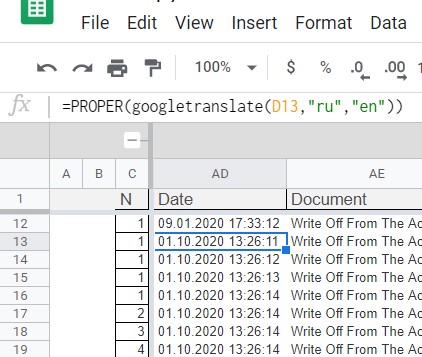
It wasted few days, hitting my head at the wall.My mistake …. I trusted that Google Sheets function called GoogleTranslate is working as it is expected. Which is not You just hate when that happens.We all know that Google is still a child in worksheet world, comparing to Microsoft, they are kids, but I wouldn’t…

Read More “Lesson learned: Do not trust Google Sheets function” »

Google Sheets, Worksheet

Recent Posts

  • Stale values (Scratched functions)
  • Middle name + 1st name
  • LastSunday, LastSaturday
  • Paste Special Percentage
  • Jan8 date format

Archives

Categories

  • Array formula (1)
  • Formulas – combined functions (58)
  • Google Sheets (2)
  • Non-functions (36)
    • ActiveX controls (2)
    • Conditional Formatting (7)
    • Data Validation (7)
    • Excel User tips (19)
    • Format Cells (6)
    • Graphics (4)
    • Names (3)
  • Standard functions (82)
    • Basic Math (18)
    • Date and Time (16)
      • DATE (9)
      • Hour (1)
      • MONTH (7)
      • NETWORKDAYS (2)
      • TODAY (7)
      • WEEKDAY (8)
      • WEEKNUM (1)
      • YEAR (8)
    • Engineering (1)
      • CONVERT (1)
    • Information (6)
      • CELL (4)
      • ISERROR (1)
      • N (1)
    • Logical (30)
      • AND (5)
      • IF (24)
      • IFERROR (6)
      • IFNA (1)
      • IFS (1)
      • ISERROR (1)
      • OR (2)
    • Lookup and References (36)
      • ADDRESS (4)
      • CHOOSE (3)
      • COLUMN (7)
      • FORMULATEXT (1)
      • HLOOKUP (1)
      • HYPERLINK (2)
      • INDEX (5)
      • INDIRECT (6)
      • MATCH (12)
      • OFFSET (15)
      • ROW (11)
      • VLOOKUP (5)
    • Math and Trig (24)
      • ABS (1)
      • CEILING (1)
      • COUNT (1)
      • COUNTA (4)
      • INT (9)
      • LARGE (2)
      • MAX (1)
      • Min (2)
      • SMALL (3)
      • SUM (3)
      • SUMIF (1)
      • SUMIFS (2)
      • SUMPRODUCT (1)
    • Statistical (5)
      • COUNTIF (4)
      • COUNTIFS (1)
    • Texts and Strings (24)
      • CHAR (5)
      • CONCATINATE (1)
      • FIND (1)
      • LEFT (8)
      • Len (4)
      • MID (9)
      • REPT (3)
      • RIGHT (2)
      • SEARCH (9)
      • STRING (1)
      • SUBSTITUTE (2)
      • TEXT (4)
      • TRIM (2)
      • VALUE (2)
  • Uncategorized (2)
  • User-Defined f(x)s = UDF (3)
    • HyperlinkOf (1)
  • Worksheet (16)
  • XLfxs (2)

Meta

  • Log in
  • Entries feed
  • Comments feed
  • WordPress.org
  • OFFSET+MATCH Formulas - combined functions
  • Hyperlink usage and HyperlinkOf UDF CELL
  • iframe in Excel (XLiFrame) ADDRESS
  • Comments versus Notes Excel User tips
  • Show developer tab Excel User tips
  • Schedule column Basic Math
  • Edit directly in cell Excel User tips
  • The Excel “&” bug Excel User tips

Copyright © 2025 Excel Functions.

Powered by PressBook News Dark theme