

Skip to content

Excel Functions

Excel f(x)s = Excel Functions

  • IFS (and IFNA) to avoid nested IFs Formulas - combined functions
  • Excel @ before function names in formulas Excel User tips
  • Search across sheets in function ADDRESS
  • Dynamic selection list ActiveX controls
  • Progress bar in pure functions CHAR
  • Excel Limits Excel User tips
  • UDF – Convert Number into text (English and Arabic) User-Defined f(x)s = UDF
  • Skills Grid Conditional Formatting

Tag: boldcodes

When Excel functions are not enough

Posted on February 13, 2020 By ANmar
When Excel functions are not enough

BoldCodes

BoldCodes is here to help (BoldCodes.com or Bold.Codes), even though I doubt it, I mean the fact that you cannot do your task in Excel formulas. especially after you understand 25% of these formulas.

But when you do, check out the library of VBA/Excel (aka macros, aka vbscripts) programming codes at BoldCodes.com or Bold.Codes

Excel User tips, Non-functions, XLfxs

Recent Posts

  • Stale values (Scratched functions)
  • Middle name + 1st name
  • LastSunday, LastSaturday
  • Paste Special Percentage
  • Jan8 date format

Archives

Categories

  • Array formula (1)
  • Formulas – combined functions (58)
  • Google Sheets (2)
  • Non-functions (36)
    • ActiveX controls (2)
    • Conditional Formatting (7)
    • Data Validation (7)
    • Excel User tips (19)
    • Format Cells (6)
    • Graphics (4)
    • Names (3)
  • Standard functions (82)
    • Basic Math (18)
    • Date and Time (16)
      • DATE (9)
      • Hour (1)
      • MONTH (7)
      • NETWORKDAYS (2)
      • TODAY (7)
      • WEEKDAY (8)
      • WEEKNUM (1)
      • YEAR (8)
    • Engineering (1)
      • CONVERT (1)
    • Information (6)
      • CELL (4)
      • ISERROR (1)
      • N (1)
    • Logical (30)
      • AND (5)
      • IF (24)
      • IFERROR (6)
      • IFNA (1)
      • IFS (1)
      • ISERROR (1)
      • OR (2)
    • Lookup and References (36)
      • ADDRESS (4)
      • CHOOSE (3)
      • COLUMN (7)
      • FORMULATEXT (1)
      • HLOOKUP (1)
      • HYPERLINK (2)
      • INDEX (5)
      • INDIRECT (6)
      • MATCH (12)
      • OFFSET (15)
      • ROW (11)
      • VLOOKUP (5)
    • Math and Trig (24)
      • ABS (1)
      • CEILING (1)
      • COUNT (1)
      • COUNTA (4)
      • INT (9)
      • LARGE (2)
      • MAX (1)
      • Min (2)
      • SMALL (3)
      • SUM (3)
      • SUMIF (1)
      • SUMIFS (2)
      • SUMPRODUCT (1)
    • Statistical (5)
      • COUNTIF (4)
      • COUNTIFS (1)
    • Texts and Strings (24)
      • CHAR (5)
      • CONCATINATE (1)
      • FIND (1)
      • LEFT (8)
      • Len (4)
      • MID (9)
      • REPT (3)
      • RIGHT (2)
      • SEARCH (9)
      • STRING (1)
      • SUBSTITUTE (2)
      • TEXT (4)
      • TRIM (2)
      • VALUE (2)
  • Uncategorized (2)
  • User-Defined f(x)s = UDF (3)
    • HyperlinkOf (1)
  • Worksheet (16)
  • XLfxs (2)

Meta

  • Log in
  • Entries feed
  • Comments feed
  • WordPress.org
  • SimpleANBox Basic Math
  • Lesson learned: Do not trust Google Sheets function Google Sheets
  • Formula Beautifier Excel User tips
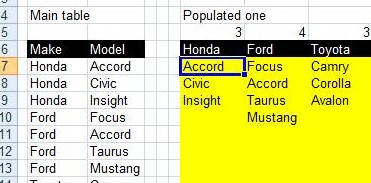
  • Convert 2-column into wide (column-row) table Formulas - combined functions
  • Multiple Dual-Validations COUNTA
  • OFFSET+MATCH Formulas - combined functions
  • Looplist – Repeating months using formulas Basic Math
  • Paste Special Percentage Excel User tips

Copyright © 2025 Excel Functions.

Powered by PressBook News Dark theme