Skip to content

Excel Functions

Excel f(x)s = Excel Functions

  • GoLast to jump to last cell in a column CELL
  • Worksheet name, dynamically using formula CELL
  • Why I ran from =INDIRECT() function Formulas - combined functions
  • When Excel functions are not enough Excel User tips
  • Walking Columns ActiveX controls
  • Compare2, a tool to compare two sheets using formulas Conditional Formatting
  • Repeated Offset Basic Math
  • Return 12 values in one number AND

Tag: dormat

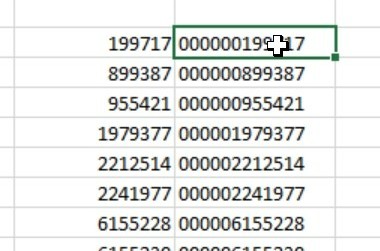
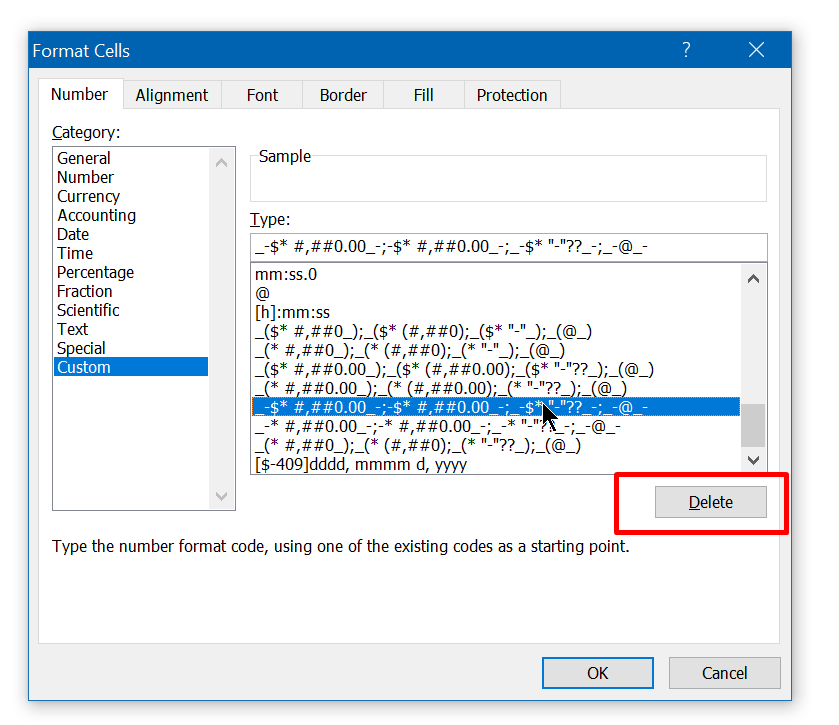
Excel keeps converting all cells to “Date” (or Time)
Posted on February 14, 2020 By ANmar
Excel keeps converting all cells to “Date” (or Time)

Issue found several times in xls or xlsx, to get it fix https://www.mrexcel.com/forum/excel-questions/637277-excel-converting-numbers-dates.html

Excel User tips, Format Cells, Non-functions, Worksheet

Recent Posts

  • Stale values (Scratched functions)
  • Middle name + 1st name
  • LastSunday, LastSaturday
  • Paste Special Percentage
  • Jan8 date format

Archives

Categories

  • Array formula (1)
  • Formulas – combined functions (58)
  • Google Sheets (2)
  • Non-functions (36)
    • ActiveX controls (2)
    • Conditional Formatting (7)
    • Data Validation (7)
    • Excel User tips (19)
    • Format Cells (6)
    • Graphics (4)
    • Names (3)
  • Standard functions (82)
    • Basic Math (18)
    • Date and Time (16)
      • DATE (9)
      • Hour (1)
      • MONTH (7)
      • NETWORKDAYS (2)
      • TODAY (7)
      • WEEKDAY (8)
      • WEEKNUM (1)
      • YEAR (8)
    • Engineering (1)
      • CONVERT (1)
    • Information (6)
      • CELL (4)
      • ISERROR (1)
      • N (1)
    • Logical (30)
      • AND (5)
      • IF (24)
      • IFERROR (6)
      • IFNA (1)
      • IFS (1)
      • ISERROR (1)
      • OR (2)
    • Lookup and References (36)
      • ADDRESS (4)
      • CHOOSE (3)
      • COLUMN (7)
      • FORMULATEXT (1)
      • HLOOKUP (1)
      • HYPERLINK (2)
      • INDEX (5)
      • INDIRECT (6)
      • MATCH (12)
      • OFFSET (15)
      • ROW (11)
      • VLOOKUP (5)
    • Math and Trig (24)
      • ABS (1)
      • CEILING (1)
      • COUNT (1)
      • COUNTA (4)
      • INT (9)
      • LARGE (2)
      • MAX (1)
      • Min (2)
      • SMALL (3)
      • SUM (3)
      • SUMIF (1)
      • SUMIFS (2)
      • SUMPRODUCT (1)
    • Statistical (5)
      • COUNTIF (4)
      • COUNTIFS (1)
    • Texts and Strings (24)
      • CHAR (5)
      • CONCATINATE (1)
      • FIND (1)
      • LEFT (8)
      • Len (4)
      • MID (9)
      • REPT (3)
      • RIGHT (2)
      • SEARCH (9)
      • STRING (1)
      • SUBSTITUTE (2)
      • TEXT (4)
      • TRIM (2)
      • VALUE (2)
  • Uncategorized (2)
  • User-Defined f(x)s = UDF (3)
    • HyperlinkOf (1)
  • Worksheet (16)
  • XLfxs (2)

Meta

  • Log in
  • Entries feed
  • Comments feed
  • WordPress.org
  • Paste Special Percentage Excel User tips
  • Get monthly total from table with dates DATE
  • Walking Columns ActiveX controls
  • Shapes with dynamic output Excel User tips
  • Zipcode-State search Formulas - combined functions
  • Change Calculator – calculate change in multiple bills/coins Formulas - combined functions
  • Get 3rd Wednesday of month Basic Math
  • Count Unique COUNTIF

Copyright © 2025 Excel Functions.

Powered by PressBook News Dark theme