Skip to content

Excel Functions

Excel f(x)s = Excel Functions

  • Schedule column Basic Math
  • Expenses calendar, FaCal Basic Math
  • Excel keeps converting all cells to “Date” (or Time) Excel User tips
  • New function IFERROR, finally IFERROR
  • The Excel “&” bug Excel User tips
  • Why I ran from =INDIRECT() function Formulas - combined functions
  • Rotate table using 1 formula ADDRESS
  • Calculate hours between two cells ABS

Sheet() and Sheets()

Posted on August 22, 2018 By ANmar
Sheet() and Sheets()

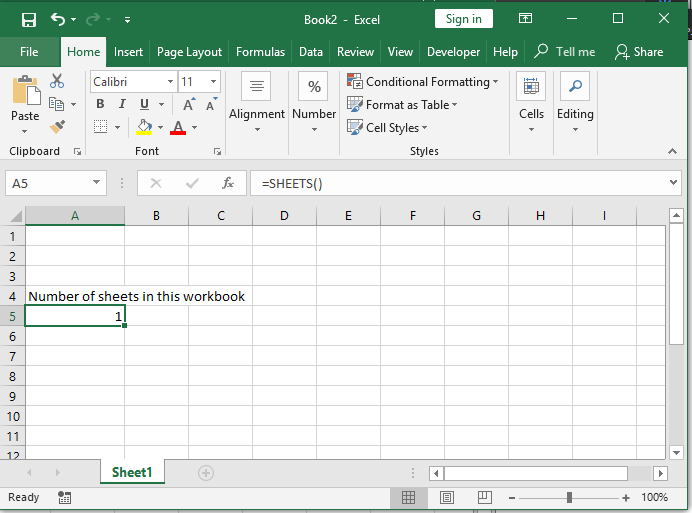
Getting total number of sheets (Sheets), or ID of this sheet (Sheet). The two new formulas Sheet() and Sheets() can do well, yes not perfect, we still need to have function to list sheet names, but it is a start

Read More “Sheet() and Sheets()” »

Lookup and References, Standard functions, Worksheet

Worksheet name, dynamically using formula
Posted on April 3, 2018 By ANmar
Worksheet name, dynamically using formula

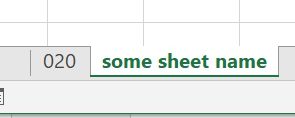
Get the name of the active worksheet in active workbook, using formulas only

This function needs to have workbook saved

Then, you just paste below formula into any cell …

Read More “Worksheet name, dynamically using formula” »

CELL, MID, SEARCH

Text-to-Columns, dynamically using formulas
Posted on April 3, 2018 By ANmar
Text-to-Columns, dynamically using formulas

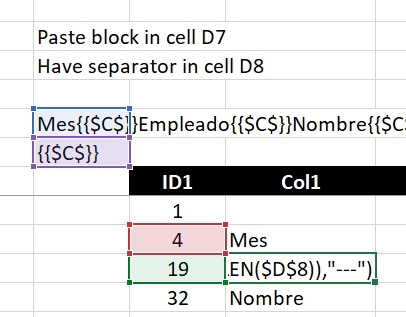
I often use the technique of concatenating columns into 1 cell with separators.

Something like the CSV, 1 line that has all values for a single row (all columns for that row) into 1 text block.

And then, because of that, I need to extract that back, into table

Read More “Text-to-Columns, dynamically using formulas” »

IFERROR, Len, MID, SEARCH

Convert cell into textbox

Posted on March 28, 2018 By ANmar
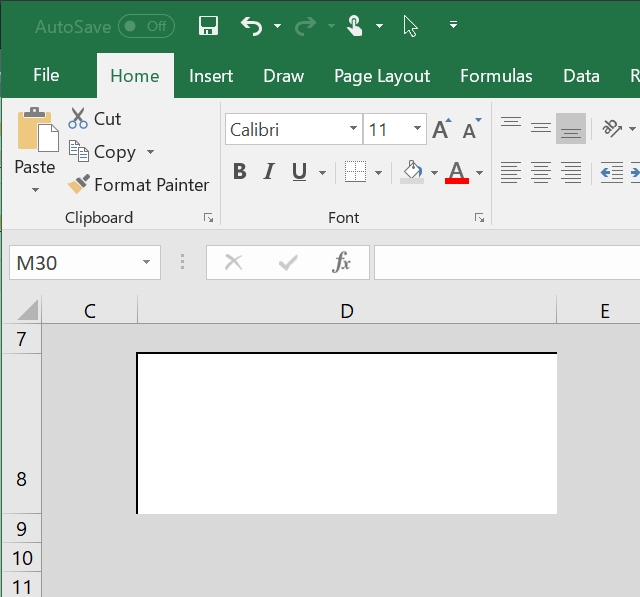
Convert cell into textbox

Often times, I found myself the need to design a sheet where I want users to input something, and I need them to focus on that particular single input (or more)

So, i learned a trick, it is formatting the entire sheet to certain color and give that cell special format to make it look like a textbox.

Read More “Convert cell into textbox” »

Excel User tips, Graphics, Non-functions, Worksheet

FORMULATEXT to show formulas

Posted on March 27, 2018 By ANmar
FORMULATEXT to show formulas

Back in the day, we used to need to write a full macro (also called User-Defined-Function) to allow users to show the formula from a certain cell
Not any more

Read More “FORMULATEXT to show formulas” »

FORMULATEXT, Lookup and References, Standard functions

IFS (and IFNA) to avoid nested IFs

Posted on March 25, 2018 By ANmar
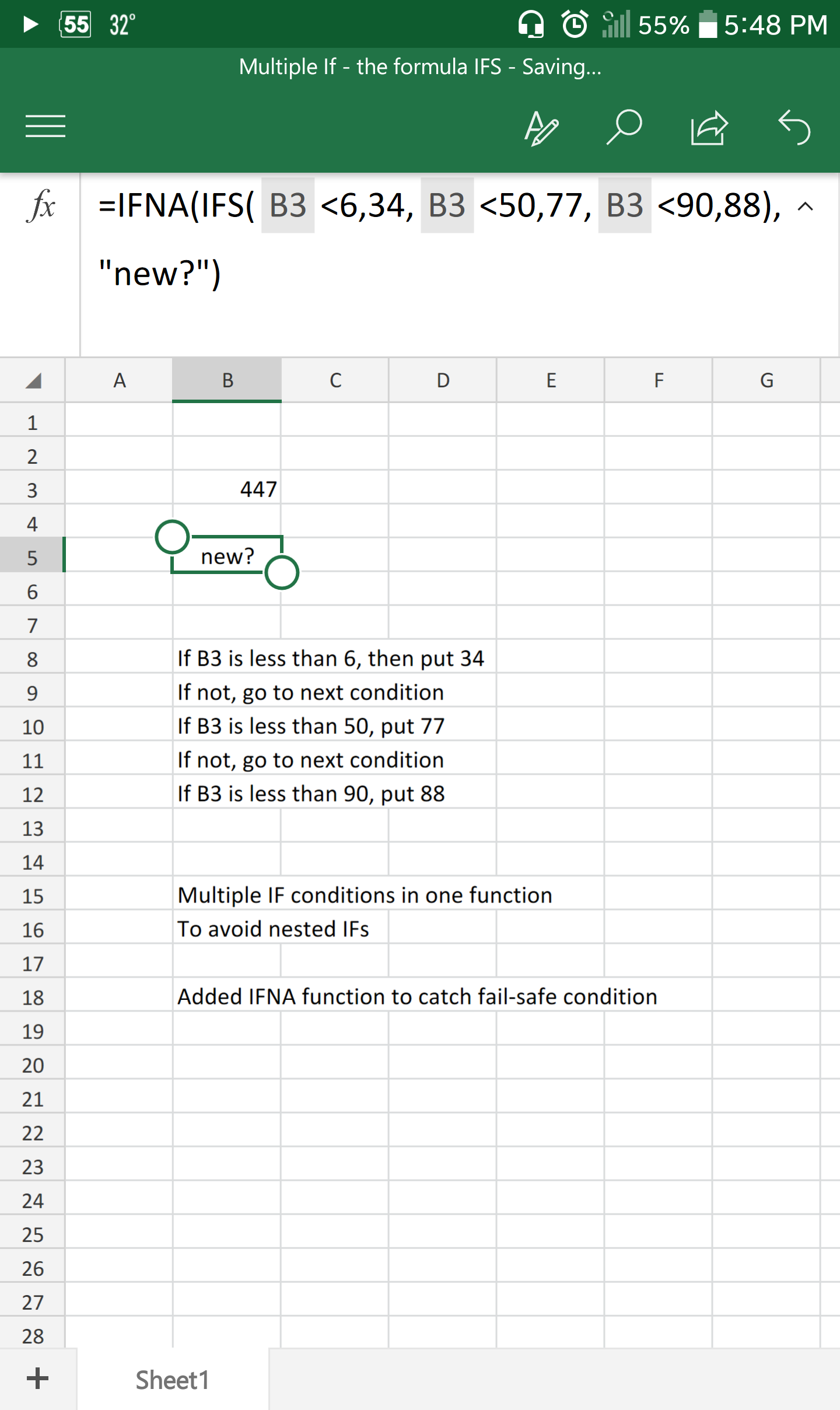
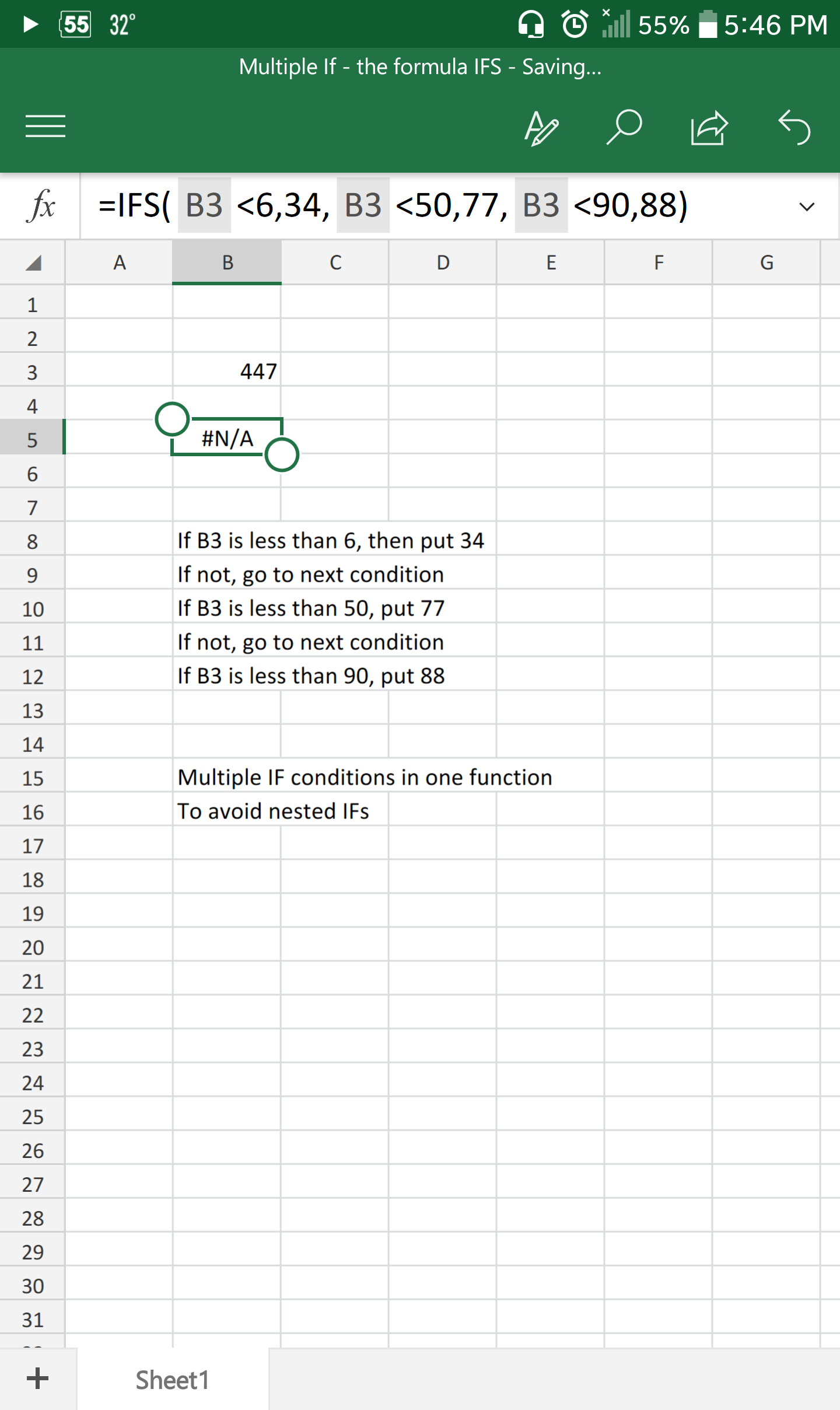
IFS (and IFNA) to avoid nested IFs

I tend to see more and more the usage of nested IF functions recently

Now, do not get me wrong, IF is great, but come on, are you going to use it for more than 2 conditions? seriously?

Excel 2013 comes with IFS, the perfect alternative to nested IFs

As you can see, takes up to 127 conditions, neat, right?

Read More “IFS (and IFNA) to avoid nested IFs” »

Formulas - combined functions, IFNA, IFS, Logical, Standard functions

Highlight dates dynamically

Posted on March 14, 2018 By ANmar
Highlight dates dynamically

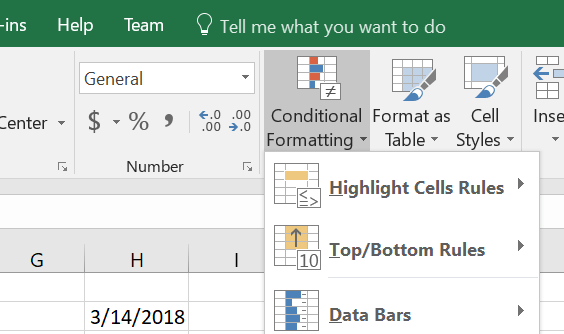
Conditional formatting is another powerful feature in Excel, especially when you combine it with functions

A simple function as in below if you set it up inside Conditional formatting, can do magic

Read More “Highlight dates dynamically” »

AND, Conditional Formatting, Non-functions, Standard functions, TODAY

Excel ad from early 90s

Posted on March 14, 2018 By ANmar
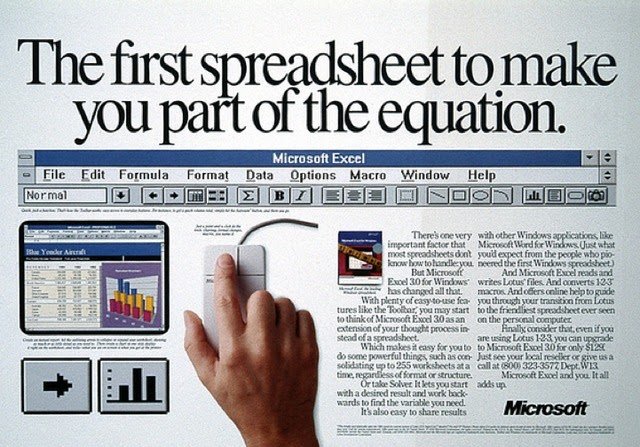
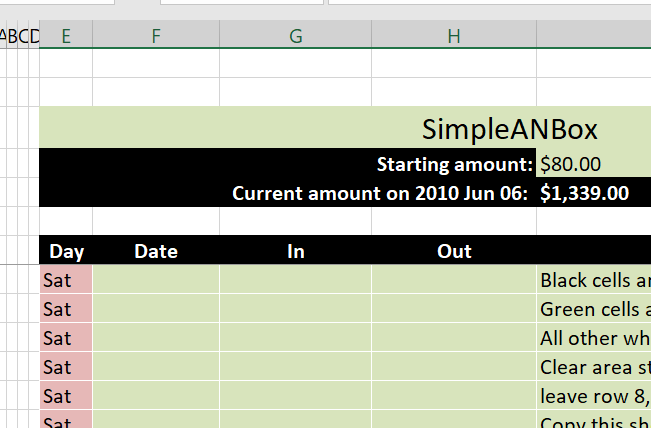
Excel ad from early 90s

Guess what I just found in my old archive !

Non-functions, Worksheet

Limited Ceiling

Posted on March 13, 2018 By ANmar
Limited Ceiling

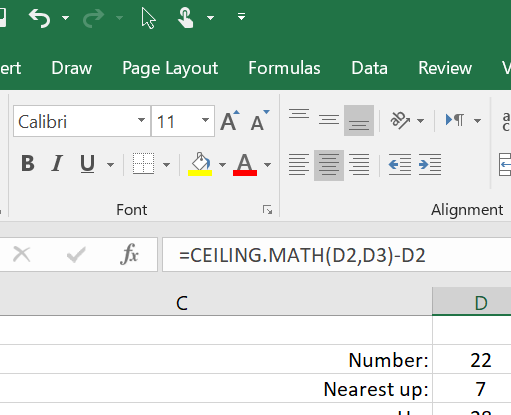
The function CEILING (CEILING.Math as of Excel 2016) is a very good powerful function.

It allows you to round  number to any value up

Unlike ROUND, ROUNDUP and ROUNDDOWN, that are limited to number of decimal places.

CEILING can round to any number, decimal or not.

Below is an example of rounding the number in D2 which is 22 into the next 7 up, 7 is in D3, result is 28 as you can see

Read More “Limited Ceiling” »

Basic Math, CEILING, Formulas - combined functions, INT, Math and Trig, Standard functions

Count cells with condition – multiple conditions
Posted on February 16, 2018 By ANmar
Count cells with condition – multiple conditions

We did see who we can get total of a column for a certain month in certain year using SUMIFS.

SUMIFS got a sister function, COUNTIFS

Which will count how many times cells found with more than 1 condition

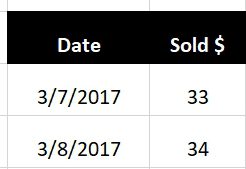
So, when you have a table like this…

Read More “Count cells with condition – multiple conditions” »

COUNTIFS, Formulas - combined functions, Math and Trig, Statistical, SUMIFS

Show developer tab

Posted on February 16, 2018 By ANmar
Show developer tab

Starting Excel 2007, users are not getting easy access to developer stuff.

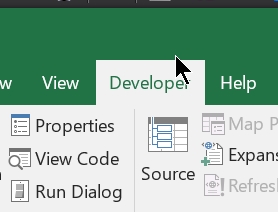
Not sure why is that, but we can go around that, so quickly, if you need to start developing inside Excel (using VBA) first thing to do is to show the “Developer” tab that came in hidden by default

Just follow on these steps

Read More “Show developer tab” »

Excel User tips, Non-functions

Posts pagination

Previous 1 … 5 6 7 … 10 Next

Recent Posts

  • Calculate above and below me
  • Stale values (Scratched functions)
  • Middle name + 1st name
  • LastSunday, LastSaturday
  • Paste Special Percentage

Archives

Categories

  • Array formula (1)
  • Formulas – combined functions (58)
  • Google Sheets (2)
  • Non-functions (36)
    • ActiveX controls (2)
    • Conditional Formatting (7)
    • Data Validation (7)
    • Excel User tips (19)
    • Format Cells (6)
    • Graphics (4)
    • Names (3)
  • Standard functions (83)
    • Basic Math (18)
    • Date and Time (16)
      • DATE (9)
      • Hour (1)
      • MONTH (7)
      • NETWORKDAYS (2)
      • TODAY (7)
      • WEEKDAY (8)
      • WEEKNUM (1)
      • YEAR (8)
    • Engineering (1)
      • CONVERT (1)
    • Information (6)
      • CELL (4)
      • ISERROR (1)
      • N (1)
    • Logical (31)
      • AND (5)
      • IF (25)
      • IFERROR (7)
      • IFNA (1)
      • IFS (1)
      • ISERROR (1)
      • OR (2)
    • Lookup and References (36)
      • ADDRESS (4)
      • CHOOSE (3)
      • COLUMN (7)
      • FORMULATEXT (1)
      • HLOOKUP (1)
      • HYPERLINK (2)
      • INDEX (5)
      • INDIRECT (6)
      • MATCH (12)
      • OFFSET (15)
      • ROW (11)
      • VLOOKUP (5)
    • Math and Trig (24)
      • ABS (1)
      • CEILING (1)
      • COUNT (1)
      • COUNTA (4)
      • INT (9)
      • LARGE (2)
      • MAX (1)
      • Min (2)
      • SMALL (3)
      • SUM (3)
      • SUMIF (1)
      • SUMIFS (2)
      • SUMPRODUCT (1)
    • Statistical (6)
      • Average (1)
      • COUNTIF (4)
      • COUNTIFS (1)
    • Texts and Strings (24)
      • CHAR (5)
      • CONCATINATE (1)
      • FIND (1)
      • LEFT (8)
      • Len (4)
      • MID (9)
      • REPT (3)
      • RIGHT (2)
      • SEARCH (9)
      • STRING (1)
      • SUBSTITUTE (2)
      • TEXT (4)
      • TRIM (2)
      • VALUE (2)
  • Uncategorized (2)
  • User-Defined f(x)s = UDF (3)
    • HyperlinkOf (1)
  • Worksheet (16)
  • XLfxs (2)

Meta

  • Log in
  • Entries feed
  • Comments feed
  • WordPress.org
  • Filter. Google Sheets function Google Sheets
  • Insert Blank rows into table using functions CHAR
  • Stale values (Scratched functions) Excel User tips
  • Convert cell into textbox Excel User tips
  • Cell formats 0.0\% and 0.0%;(0.0%) Format Cells
  • CamelCase to Camel Case CHAR
  • 0% interest promotion Basic Math
  • Searching table in 2 dimensions. Formulas - combined functions

Copyright © 2026 Excel Functions.

Powered by PressBook News Dark theme